Publishing your page
Publish your page, share your handle, and let it react when you're live
Publish
A page is only public once you turn on publishing in the editor. Until then, you can keep editing privately — you’ll still see your own page in preview.
Handle
Your page lives at livehub.gg/@you, using your TikTok handle. You can
also claim a custom handle from the editor, which gives you a vanity URL
that points to the same page.
Status
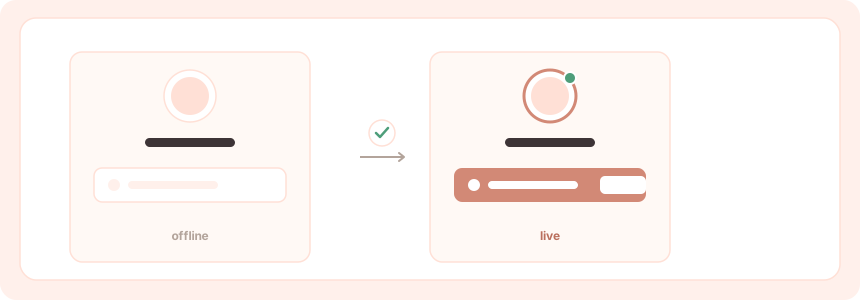
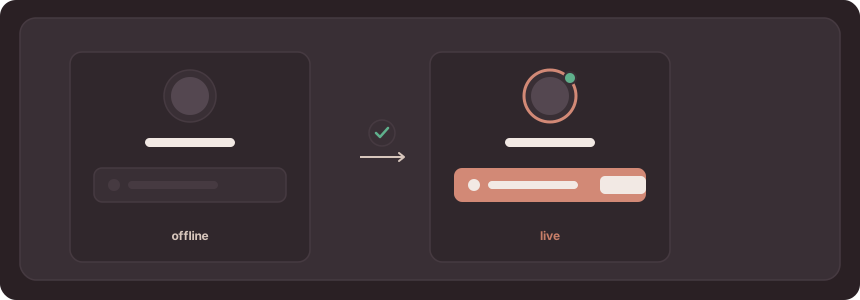
Your page checks whether you’re live on its own — there’s nothing to flip when you start streaming. When you go live:
- Your avatar shows a live indicator.
- A Live block, if you’ve added one, lights up with a watch link.
This check runs on demand and doesn’t require connecting a stream or running data collection.
Sub-pages
Profiles can include related sub-pages, such as records and team pages, linked from your main page.
Domains
Custom domains are planned and not yet available. When they ship, they’re expected to be a paid feature.
The goal is to let you serve your page from your own domain (for example, yourname.com) instead of the livehub.gg/@you URL. Until then, share
your handle URL or a claimed custom handle.