Read the Room
Charades, on stream — cover your eyes and your chat clues you to the word
Category: Co-op · Players: whole chat · Status: Beta
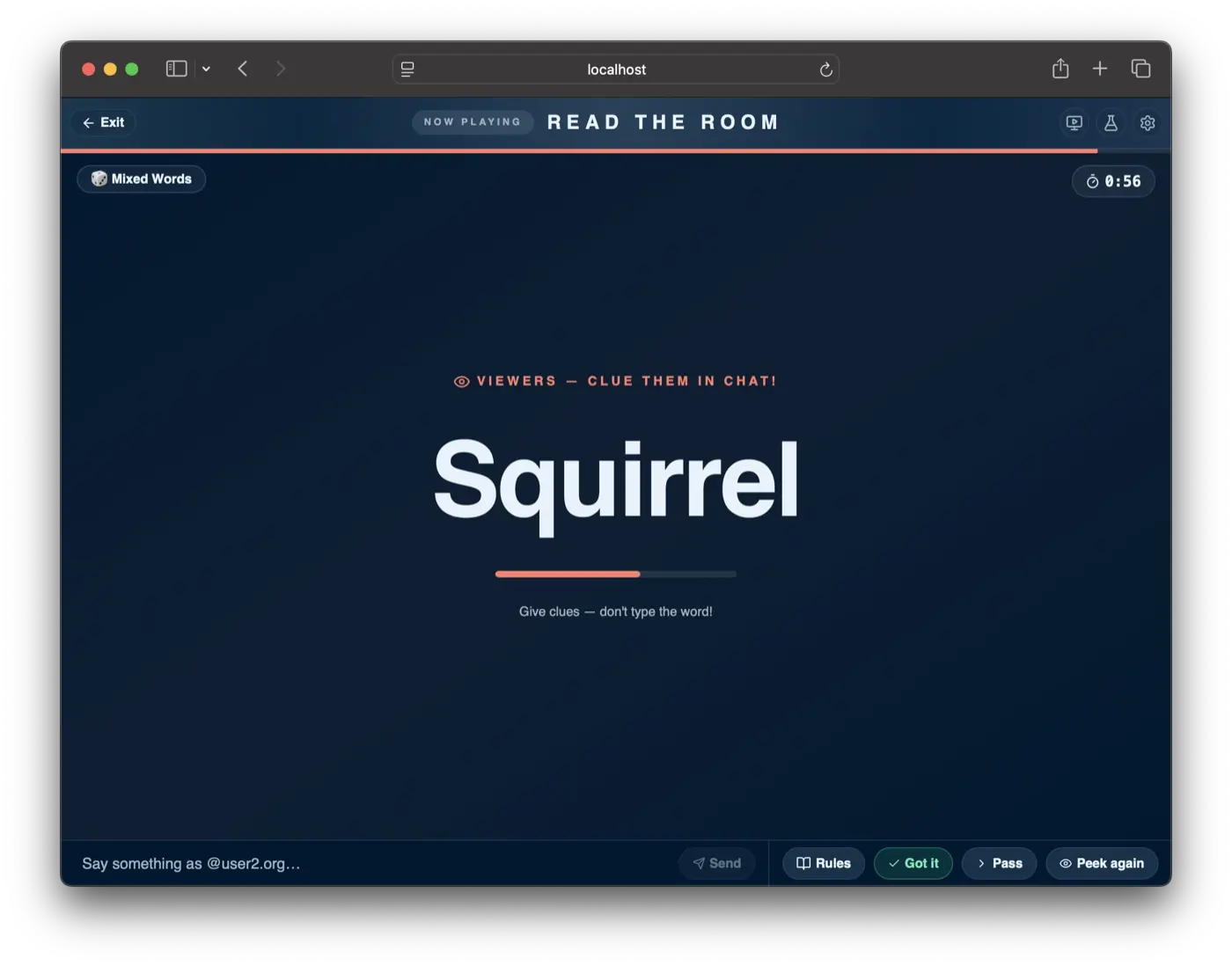
Read the Room is in beta — details may change.
Read the Room is Heads Up for your stream. You cover your eyes on a countdown; a secret word flashes on screen for the room — you don’t see it, they do. Chat feeds you clues, you guess out loud, and the moment you nail it the room confirms and the next word drops.
Each game is split into rounds — one word per round, at your pace. When a word is cracked (or passed), the round ends on a celebration + standings screen, and you start the next round whenever the room’s ready. No frantic clock sprint — you set the tempo.
It all happens on the one screen you’re already broadcasting — no second device, no links for your viewers to open. The trust is the game: your eyes are shut during the flash, and your camera keeps you honest — if you peek, everyone sees it.
Setting it up
Pick a category, a round clock, the number of rounds (1–10), and choose how the
room confirms your guesses (see Confirming a guess), then
start. Chat can type !join while you set up, but nobody has to — any message
counts as a clue once a round is live, so joining is optional.
Categories come in three flavours:
- Word categories (Mixed Words, Animals, Food & Drink, Everyday Things, Actions) flash a word.
- Picture categories — Famous Faces, Movie Posters, Flags, TikTok Gifts — flash the image and its name, so the room can clue even when they don’t recognise the picture.
- Stream Personalities — your own custom picture deck. Upload images named
after their answer (e.g.
Grace Hopper.jpeg) from the setup screen, then select the category to play with your library. See Stream Personalities below.
Starting drops you on a get-ready screen with the clock stopped, so you can read the rules and get set. Hit Start round when you’re ready — that’s what starts the round clock, not the Start button in the lobby.
Each word runs the same beat: a 3-2-1 countdown tells you to cover your eyes, the word flashes on screen for the room, then it hides again. Listen for the cues — a low tone means look away, a bright chime means open your eyes. Then read the clues and guess out loud.
Missed the word? Hit Peek again to replay the flash for the current word — cover your eyes and it shows once more.
When a word is cracked, the stage shows a Correct! recap — the word, who gave the winning clue, and the current standings. It stays up until you press Start round again, so the room can savour the moment. Rounds that time out or are passed skip the celebration and move straight to the next get-ready screen.
After the final round the game ends: the wrap-up calls out who gave the most clues and who gave the last clue of the game, alongside the full points leaderboard.
Nothing is timed until you press Start round, so getting set — or chatting between rounds — never eats into your clock.
Confirming a guess
Because the room can see the word, “you got it” can’t be a race to type it — everyone would just spoil it. How the round advances is a setup choice, five ways:
- Host click (the default) — you press Got it when you nail it (or Pass to skip). Nothing advances automatically.
- Assigned mod — one trusted mod (named in setup) calls it: their
yesadvances, theirpassskips. The stage shows waiting on @them, so a word that isn’t moving never looks broken. - Crowd vote — when you say the word, N different viewers type
yesto confirm it (the count is configurable, 2–10). Typingpassthe same way skips a word. One early spoiler can’t advance it — it takes a genuine burst. The stage shows the votes landing live (2 / 3 YES). - Your mic (beta) — your browser listens and just hearing you say the word advances the round, hands-free. It asks for your microphone once. Best in Chrome or Edge, and best on word categories; picture categories (names, titles) are harder to catch.
- TikTok captions (beta) — your stream’s auto-captions do the listening: when the caption of what you just said contains the word, the round advances. No mic permission needed, but captions must be turned on in your TikTok LIVE settings, and they run a beat behind your voice.
Whatever mode you pick, your Got it and Pass buttons stay available as the override — if the mic mishears or the room is slow, you can always call it yourself.
In the chat modes, yes also accepts yep, yeah, yup, correct, gotit, ding and nailedit; pass accepts skip, nope and nextone. These only count
as a vote when they’re the whole message — so “say yes to the dress” stays a
clue. Nothing confirms during the flash itself — votes, voice, captions and clicks
only land once the guessing phase begins, so nobody can advance a word before
you’ve had a chance at it.
Stream Personalities
Stream Personalities is a custom picture category backed by your own image library.
Upload pictures directly from the setup screen — each file’s name becomes the
accepted answer (e.g. Grace Hopper.jpeg → the answer is “Grace Hopper”). Up to
100 images per streamer, max 4 MB each (JPEG, PNG, GIF, or WebP).
Once you’ve uploaded at least one image, select 🎭 Stream Personalities from the category picker to play with your deck. If the library is empty when you try to start, the game tells you to upload pictures first.
Configuration
| Option | Values | Default |
|---|---|---|
| Category | Mixed Words · Animals · Food & Drink · Everyday Things · Actions · Stream Personalities · Famous Faces · Movie Posters · Flags · TikTok Gifts | Mixed Words |
| Custom picture prompts | Your own images, named after their answer | — |
| Seconds on the clock | 30–180s | 60s |
| Rounds | 1–10 | 5 |
| How the round advances | Host click · Assigned mod · Crowd vote · Your mic (beta) · TikTok captions (beta) | Host click |
| Viewers needed to confirm | 2–10 — crowd vote only | 3 |
| Mod username | A TikTok handle — assigned mod only | — |
The last two only matter for the matching How the round advances setting; see Confirming a guess for what each one does.
Words your room has already had are held back. The draw remembers what it dealt your stream and prefers words it hasn’t, resetting only once the chosen category is spent — so back-to-back sessions don’t repeat. A round here is one word and a session burns a whole deck of them, so without this a host running Read the Room twice a week was seeing the same words inside a fortnight.
Scoring
Read the Room rewards helping, not just finishing. When a word is cracked, every chatter who gave a clue scores a point, and the clue that actually landed the guess scores three. So it pays to jump in early and often — and to be the one whose clue cracks it. Blurting the answer itself earns nothing. Most points across the game wins, and wins feed the usual tiers and milestones.
Tips
- Play by ear. You’ll have your eyes shut for the countdown and the flash — the bright chime is your cue to look again. (Cues respect the mute toggle in the gear-icon settings.)
- Keep your face in frame. The camera is what makes the trust work — the room can see you actually cover your eyes.
- Host click is the steadiest start; crowd mode suits big rooms; mod mode works for a small chat or a fast-paced set where you want one caller.
- Take your time between rounds. The clock is stopped — chat, react, hype the next word. The room sets the pace.